- Posts: 28
- Thank you received: 0

Need help with Joomla? We are available for hire to help with Joomla customization, upgrades, maintenance, and custom development.
Explore our services Image alignment in the Basic Information
- Ioulia Pal
- Topic Author
- Offline
- Junior Member
-

Less
More
12 years 11 months ago #37319
by Ioulia Pal
Image alignment in the Basic Information was created by Ioulia Pal
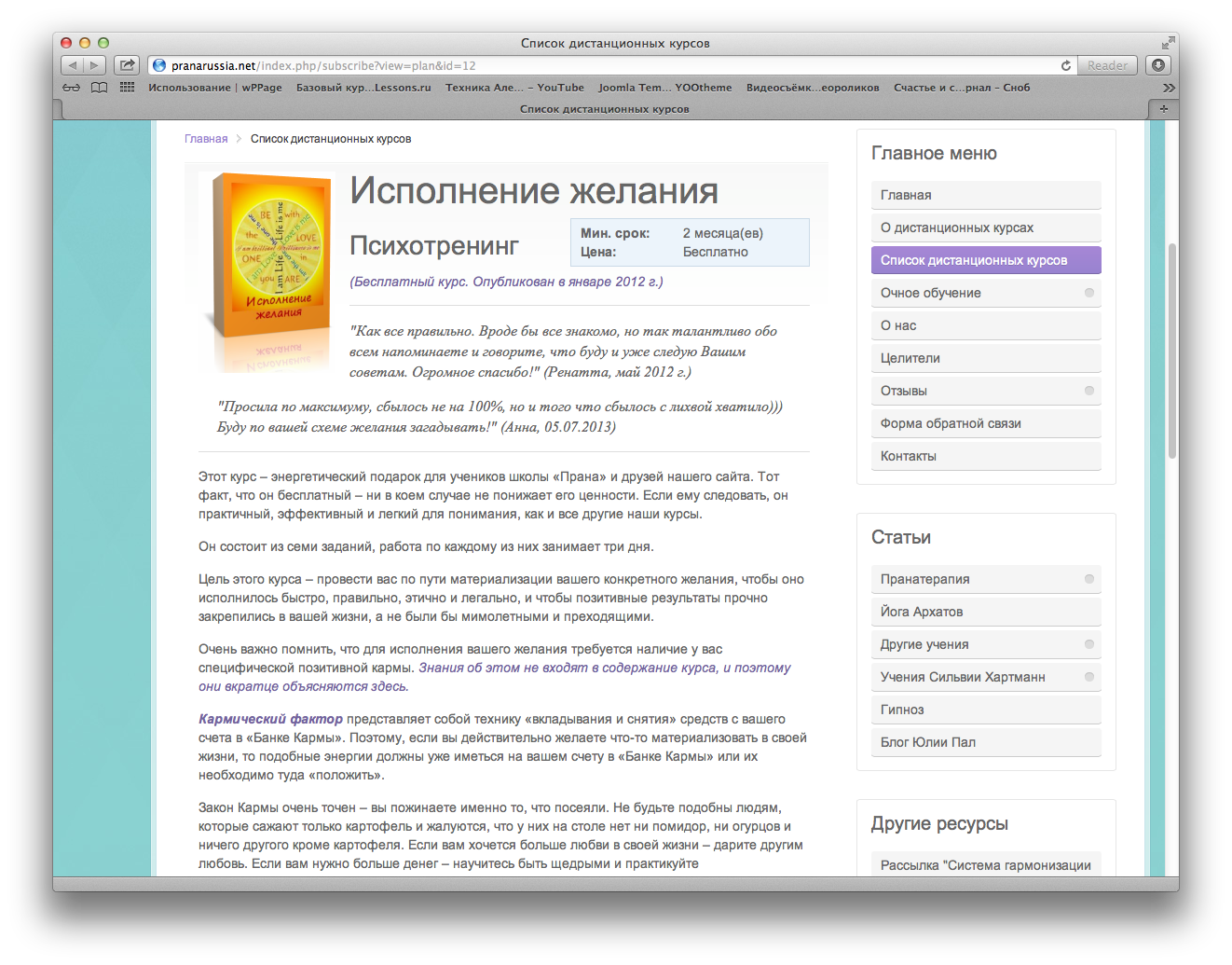
Can image alignment be changed from Left to Baseline in the Details about the membership plans?
The top of the article looks too clustered with objects.
The top of the article looks too clustered with objects.
Please Log in or Create an account to join the conversation.
- Tuan Pham Ngoc
- Offline
- Administrator
-

12 years 11 months ago #37326
by Tuan Pham Ngoc
Replied by Tuan Pham Ngoc on topic Re: Image alignment in the Basic Information
Hi Baseline
Could you please explain exactly how/where the image should be located ? Maybe send us the link to the page and I will ask a template developer to look at it and solve it for you !
Tuan
Could you please explain exactly how/where the image should be located ? Maybe send us the link to the page and I will ask a template developer to look at it and solve it for you !
Tuan
Please Log in or Create an account to join the conversation.
- Ioulia Pal
- Topic Author
- Offline
- Junior Member
-
Less
More
- Posts: 28
- Thank you received: 0
12 years 11 months ago #37336
by Ioulia Pal
Replied by Ioulia Pal on topic Re: Image alignment in the Basic Information
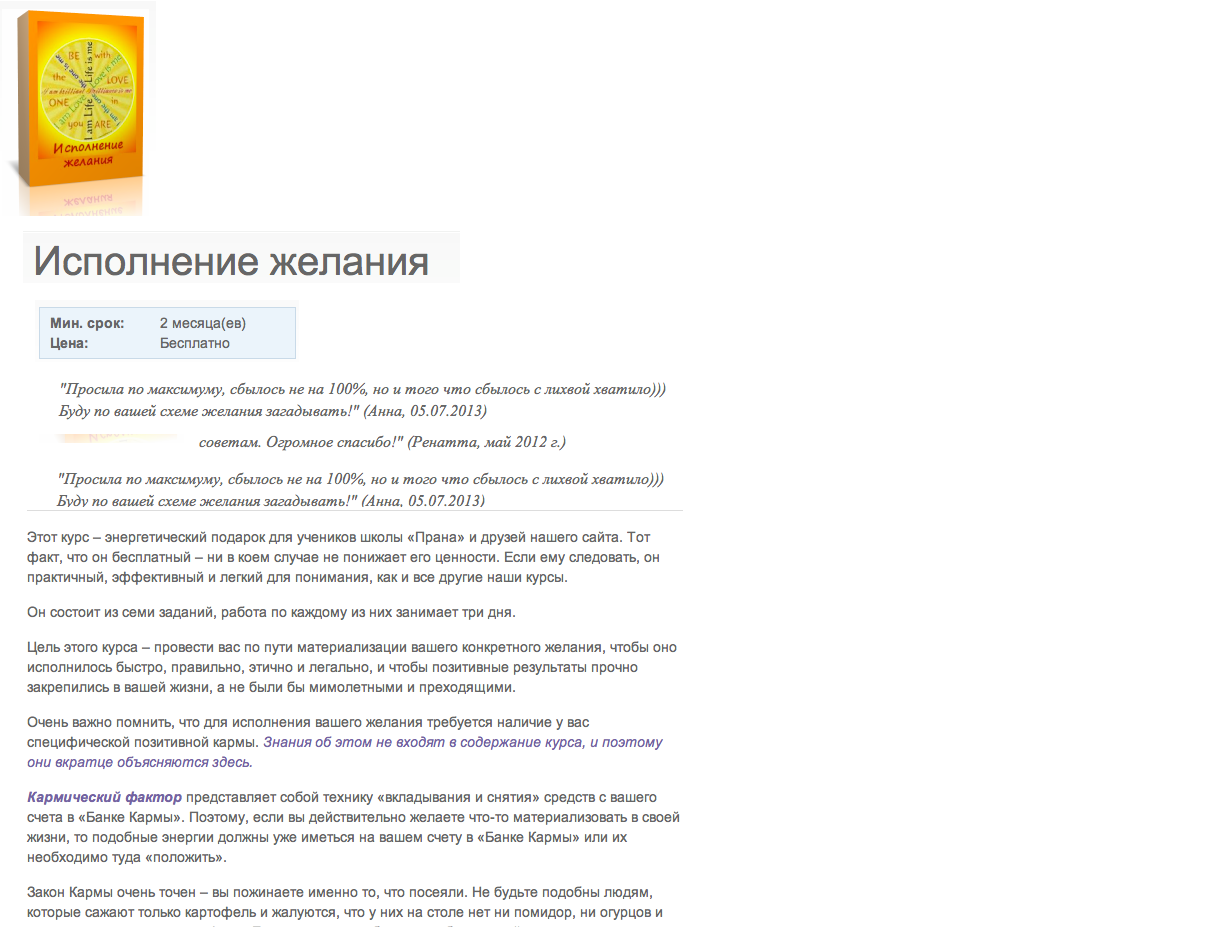
For example, like on this picture. Sending you the link via the ticket.
Thanks,
Yulia
Thanks,
Yulia
Please Log in or Create an account to join the conversation.
Support
Documentation
Information
Copyright © 2026 Joomla Extensions by Joomdonation. All Rights Reserved.
joomdonation.com is not affiliated with or endorsed by the Joomla! Project or Open Source Matters.
The Joomla! name and logo is used under a limited license granted by Open Source Matters the trademark holder in the United States and other countries.
The Joomla! name and logo is used under a limited license granted by Open Source Matters the trademark holder in the United States and other countries.