EShop Fedex Shipping
This is Fedex shipping plugin for EShop Shopping Cart extension.
This extension uses the newest FedEx RESTful API, which utilizes OAuth 2.0. You can choose which Fedex services to offer and retitle them directly in the admin panel, then the system will display the Fedex shipping options to customers on the front-end side to select for their order.
Installation
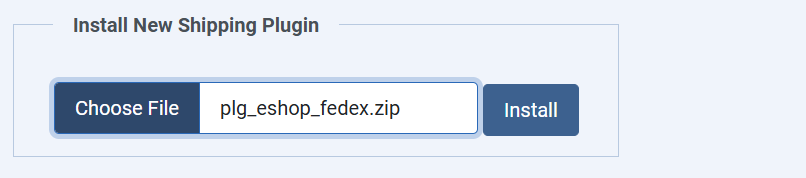
After purchasing EShop Fedex Shipping plugin, you will received the package plg_eshop_fedex.zip. Please login to the back-end of your site, then go to EShop -> Plugins -> Shipping, scroll mouse down to the bottom at Install New Shipping Plugin section, select the package plg_eshop_fedex.zip to install.
Configuration
From the Shipping Manager, click on eshop_fedex to go to edit and configure it.
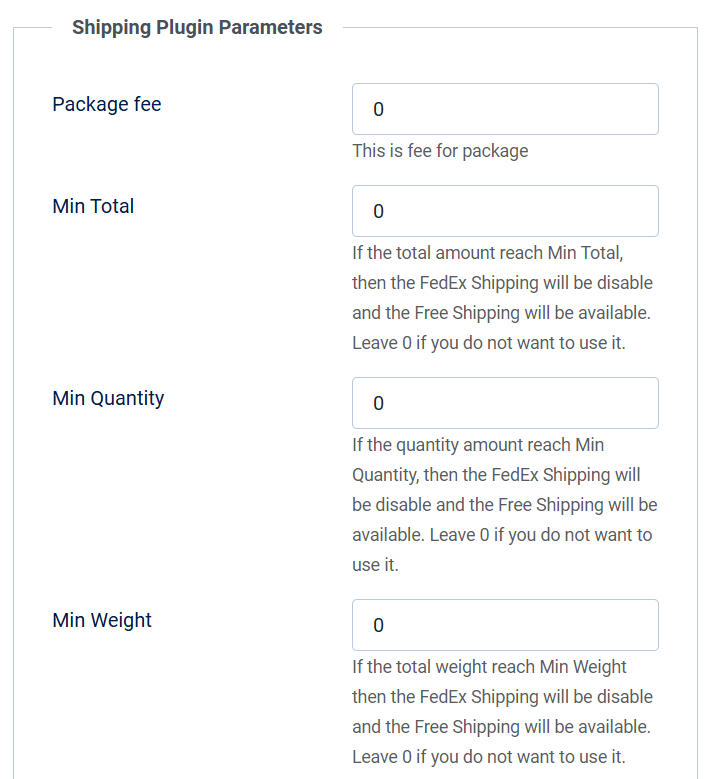
1. The first part, you will see the general parameters of an EShop shipping plugin as: Package fee, Min Total, Min Quantity, Min Weight, let's enter the values for them as you want.
2. Next, you will need to create a FedEx Project in order to get your API Info for the extension. If you do not have a FedEx Project yet, follow these steps:
- Navigate to https://developer.fedex.com
- Click "Sign Up or Log In" on the left-hand side, and log in using your FedEx credentials.
- Next, click the "My Projects" link on the left-hand side.
- On the next page, you can create an organization if you do not already have one. When creating one, choose "I work for a company that ships with FedEx and needs to integrate FedEx APIs into their system."
- Once you have an organization set up, click the "My Projects" link again, and then "Create a Project". You will need to choose the same option as above, and give your project a name (e.g. EShop Store).
- Click the checkbox for the "Rates and Transit Times API".
- Click "Next" and agree to the terms.
- On the next page, you need to choose a country at the top of the page, and then choose whether you want to use specific Shipping Services or receive notifications. Choose what is appropriate for your business.
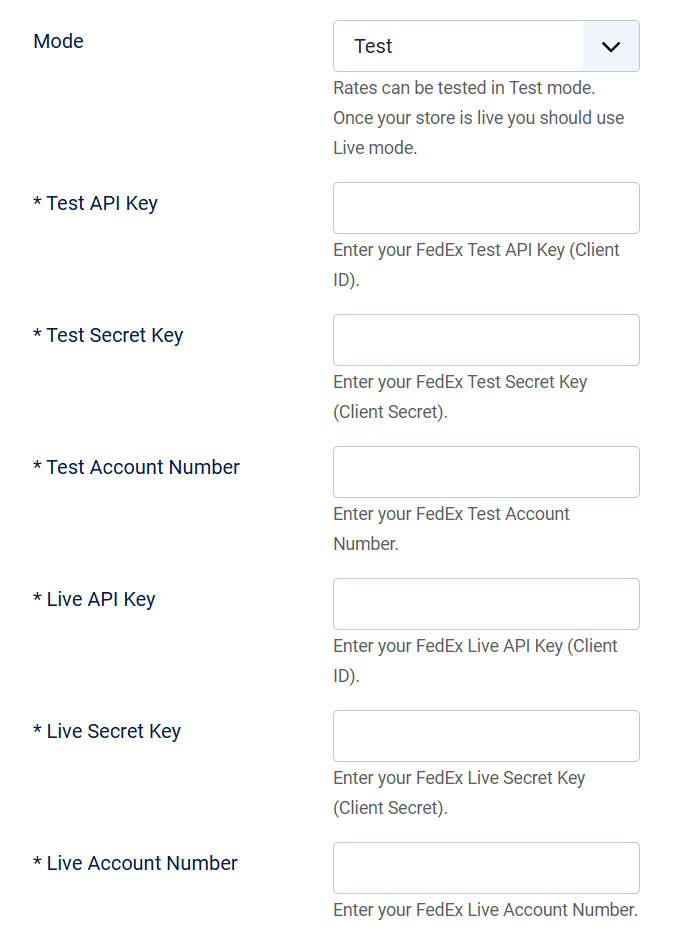
- You will now be shown a page with your API Key, Secret Key, and Shipping Account number.
- Note: you may need to do additional steps to certify your account if you choose to use your account to print shipping labels. You can find more information on that using the "API Certification" link in your FedEx Account.
You can choose to use Test mode or Live mode.
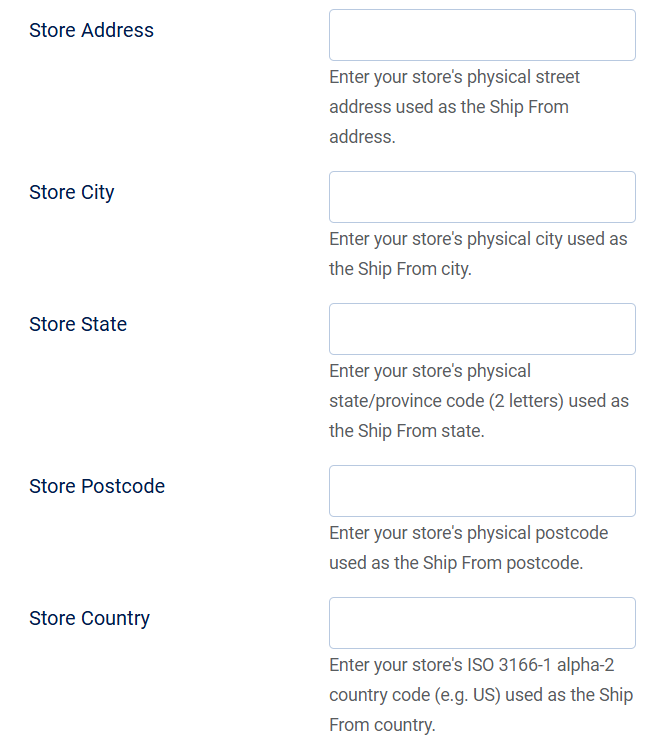
3. Next, you should enter the Address information of your store: Address, City, State, Postcode and Country.
4. Next, you need to enter the other parameters for Fedex.
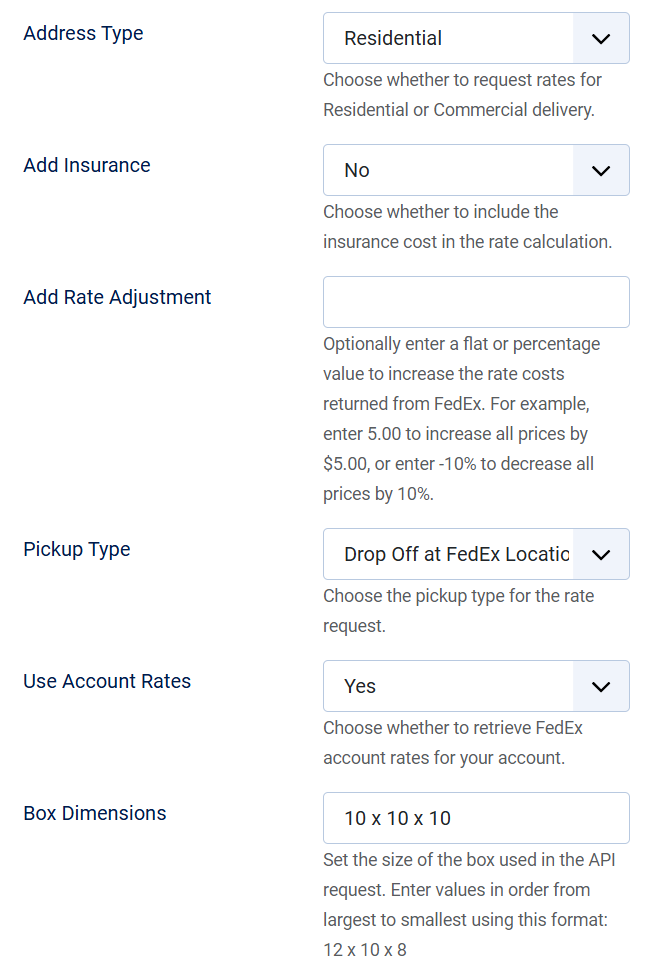 |
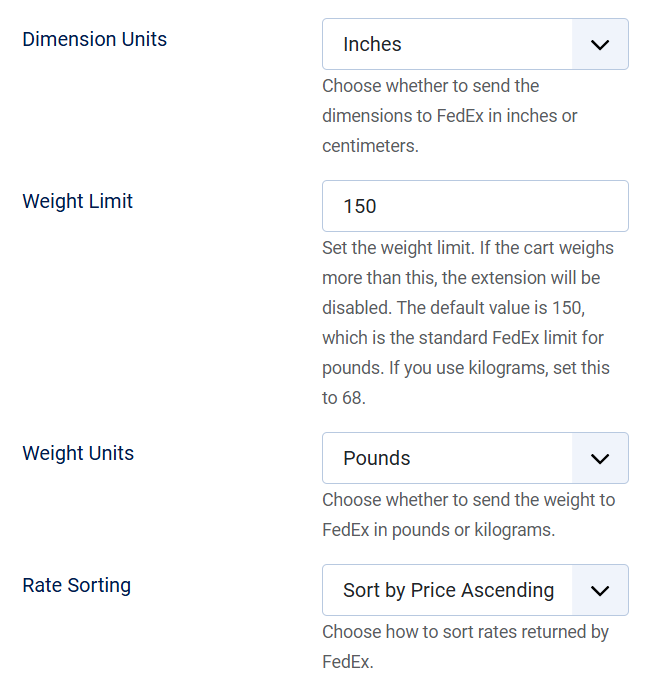 |
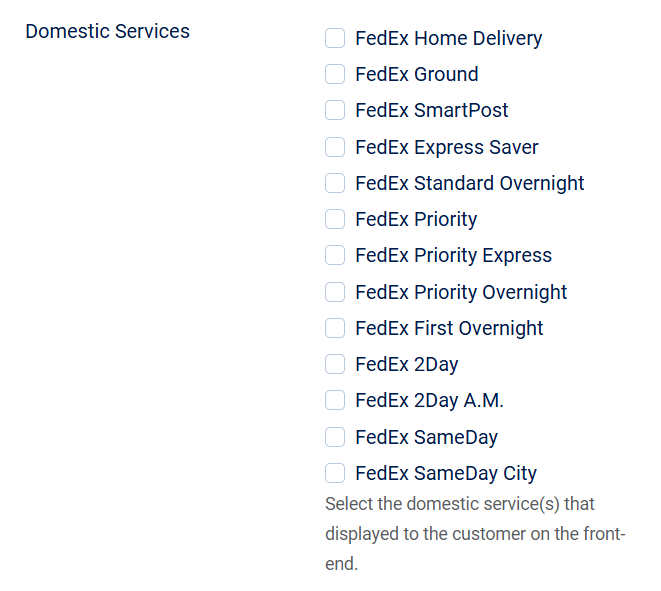
5. Domestic Services: Let's choose the domestic services that you want to display to customers.
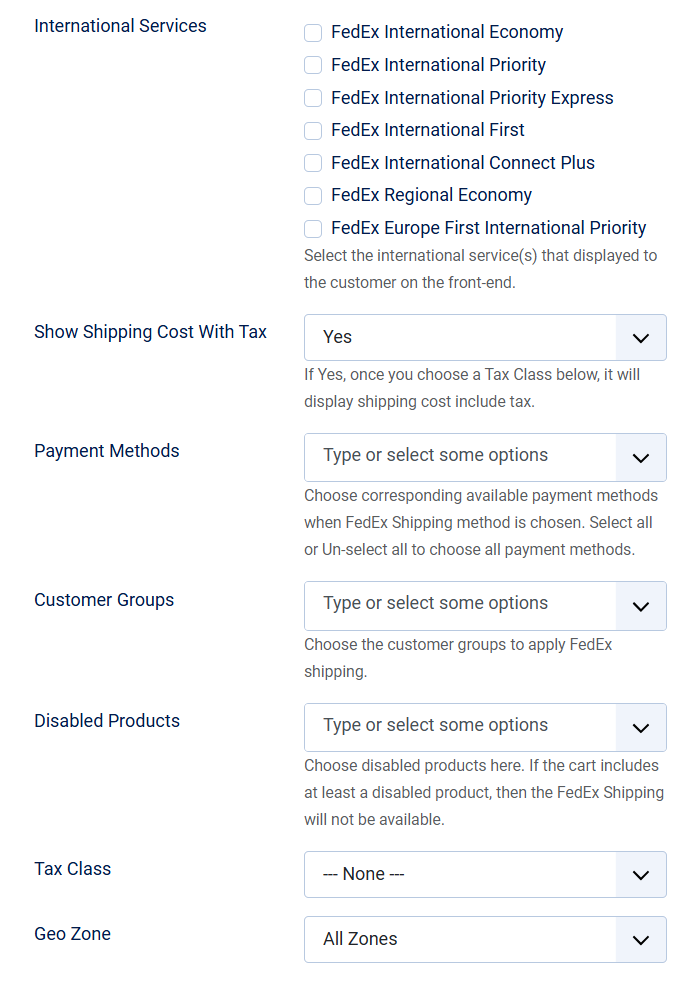
6. International Services: Let's choose the international services that you want to display to customers.
When should you contact us?
- Are you interested in this our extension and want to send pre-sales questions?
- Do you need the technical supports?
- Would you like to suggest features / require custom works?
- Or any other reasons that you want to contact us?
How do you contact us?
- Post questions in Forum
- Login to your account and submit a support ticket to EShop
- Email us:
This email address is being protected from spambots. You need JavaScript enabled to view it. - Directly support via instant chats. Skype ID: outsourcepro