
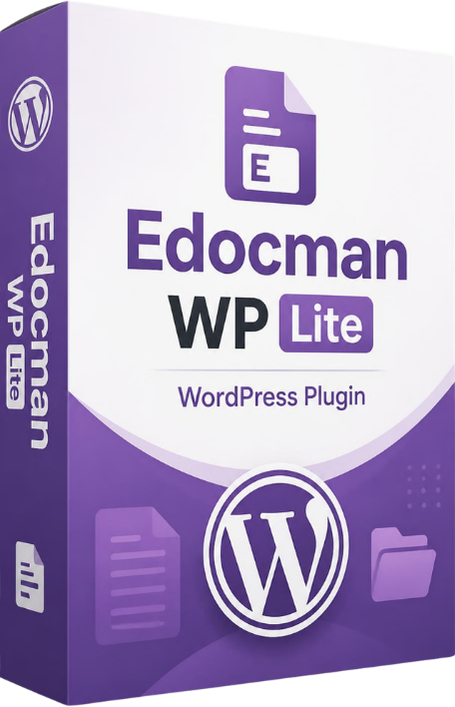
Edocman WP Lite
Edocman WP Lite is a free and lightweight WordPress document management plugin that helps you organize, upload, manage, and display documents directly on your website.
Introduction
Edocman WP Lite is the free and lightweight version of the Edocman WP plugin — a document management system for WordPress. The Lite version provides essential features for managing and displaying documents on your website.
Key Features
✅ Category Management
- Create, edit, and delete categories
- Support hierarchical categories and subcategories
- Add images and descriptions to categories
- Arrange category display order
✅ Document Management
- Upload and manage documents
- Assign documents to multiple categories
- Add short and full descriptions
- Upload thumbnail images
- Track download and view counts
Frontend Display
Category List
Display categories in a clean grid layout with optional images and descriptions.
Documents by Category
Show documents by category with file size, download count, views, and file-type icons.
Document Detail Page
Display full document information with Download and View buttons.
Built-in Categories Widget
Edocman WP Lite includes a ready-to-use Categories Widget for displaying document categories in sidebars, footers, or other widget areas.
- Display categories in a sidebar or widget area
- Option to show category images
- Limit the number of displayed categories
- Filter by parent category
Easy Installation
Upload the edocman-lite folder to /wp-content/plugins/.
Activate the plugin from the Plugins page in WordPress.
Required database tables are created automatically after activation.
Simple Content Management
Manage Categories
Go to Edocman Lite > Categories to create and manage document categories.
- Title
- Parent Category
- Description
- Image
- Published status
Manage Documents
Go to Edocman Lite > Documents to upload and manage documents.
- Title
- Categories
- Document File
- Short and full descriptions
- Thumbnail image
- Published status
Smooth Navigation
Edocman WP Lite provides a simple navigation flow between categories, document lists, and document detail pages.
Database Structure
Edocman WP Lite uses dedicated database tables to store categories, documents, document-category relationships, and plugin configuration data.
| Database Table | Purpose |
|---|---|
| wp_edocman_categories | Stores category information |
| wp_edocman_documents | Stores document information |
| wp_edocman_document_category | Links documents with categories |
| wp_edocman_configs | Stores plugin configuration data |
Upload Directory
Documents are stored in:
Folder structure:
System Requirements
| Requirement | Minimum Version |
|---|---|
| WordPress | 5.0 or higher |
| PHP | 7.4 or higher |
| MySQL | 5.6 or higher |
Manage Documents Easily with Edocman WP Lite
A simple, lightweight, and practical document management solution for WordPress websites.
Free WordPress Document Management Plugin