EShop USPS Shipping
This is USPS (United States Postal Service) shipping plugin for EShop Shopping Cart extension.
This extension uses the newest USPS REST API with OAuth 2.0. You can choose which USPS services to offer and retitle them directly in the admin panel, then the system will display the USPS shipping options to customers on the front-end side to select for their order.
Installation
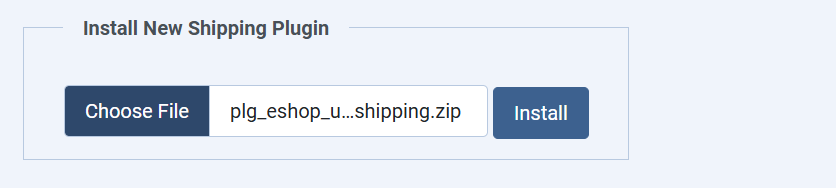
After purchasing EShop USPS Shipping plugin, you will received the package plg_eshop_uspsshipping.zip. Please login to the back-end of your site, then go to EShop -> Plugins -> Shipping, scroll mouse down to the bottom at Install New Shipping Plugin section, select the package plg_eshop_uspsshipping.zip to install.
Configuration
From the Shipping Manager, click on eshop_uspsshipping to go to edit and configure it.
1. The first part, you will see the general parameters of an EShop shipping plugin as: Package fee, Min Total, Min Quantity, Min Weight, let's enter the values for them as you want.
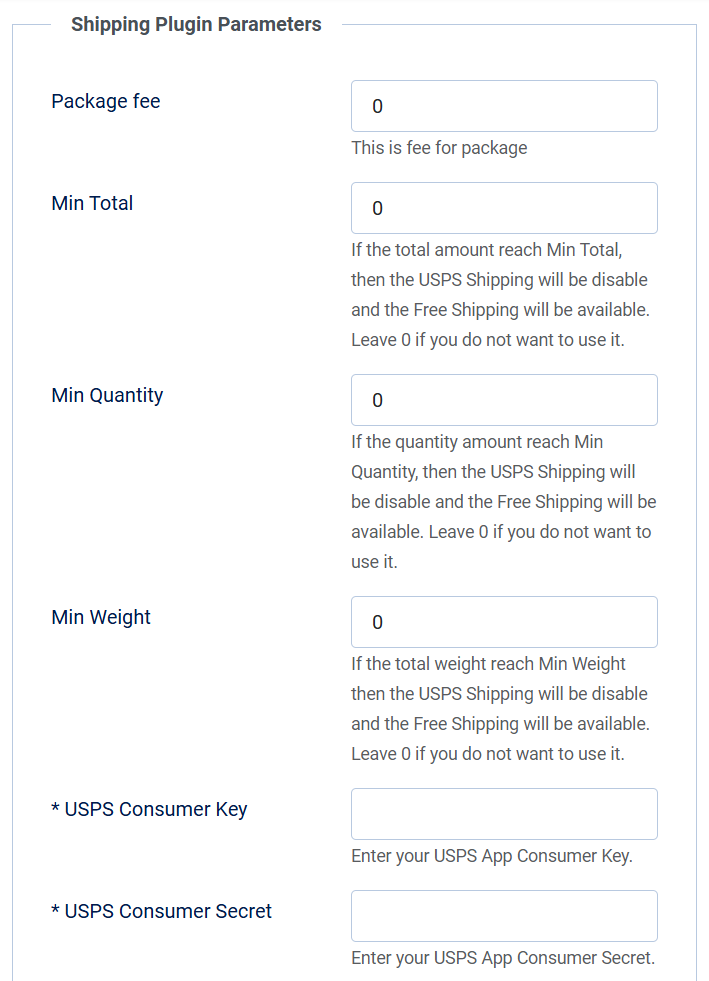
The EShop USPS Shipping requires 2 important parameters are Consomer Key and Consomer Secret. You need to register on
https://developers.usps.com and generate an App to connect with the USPS REST API. Here are more detailed steps on how to do that:
- Register an account on https://developers.usps.com If you have an existing USPS account you can use those credentials, otherwise you'll have to register a new account.
- If you have 2-factor authentication turned on, be aware that the USPS 2-factor codes are often very slow to arrive.
- Once you're logged in, click the "Apps" option in the top-right corner of the page, then click the "Add App" button.
- Set the "App Name" to whatever you want, and leave the "Callback URL" field blank. Check the "Public Access I" box in the APIs section, then click "Add App".
- After that, you want to get the Consumer ID and Consumer Secret from the app. This is what you fill in within the extension.
The REST API also has a quota limit with a very low limit of 60 API calls per hour, so after testing you will need to contact USPS at
- OAuth
- Domestic Prices
- International Prices
- Service Standards
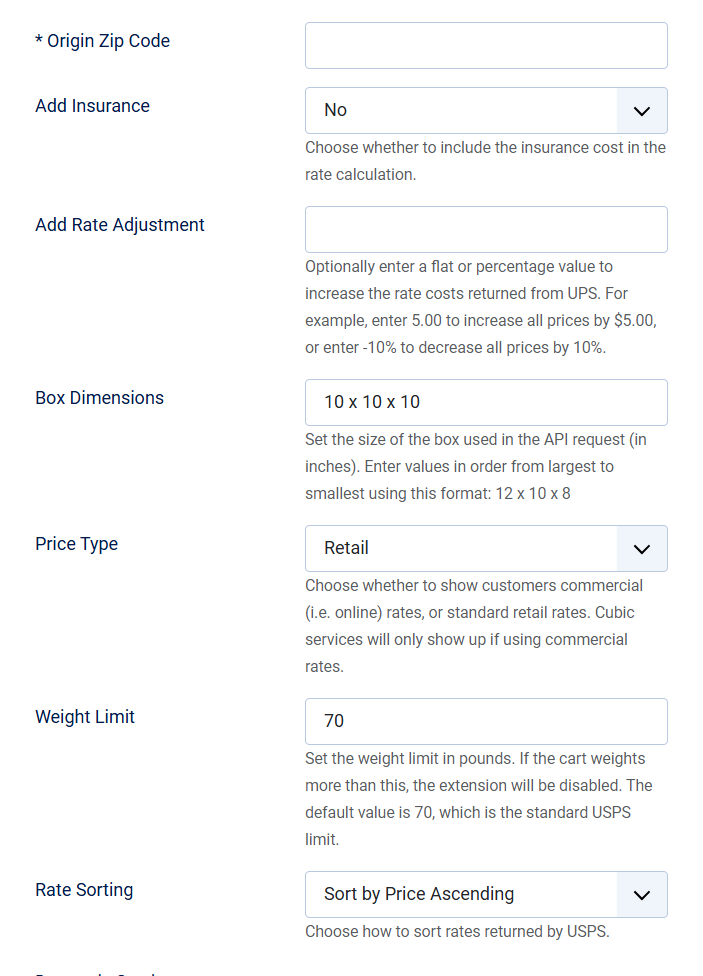
2. Next, you can enter the Origin Zip Code of your store, enter and select other options as intro text.
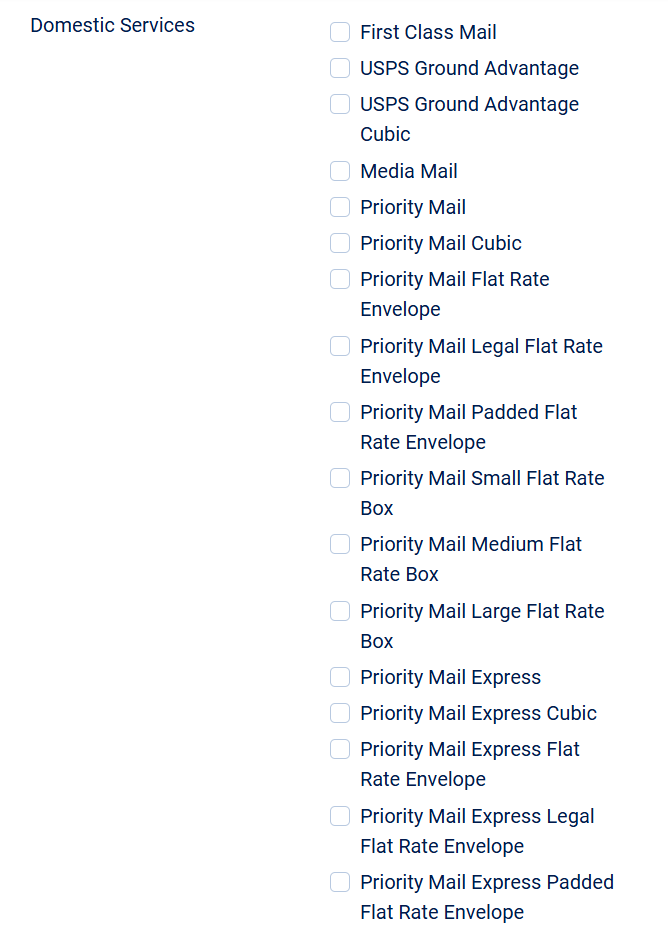
3. Domestic Services: Let's choose the domestic services that you want to display to customers.
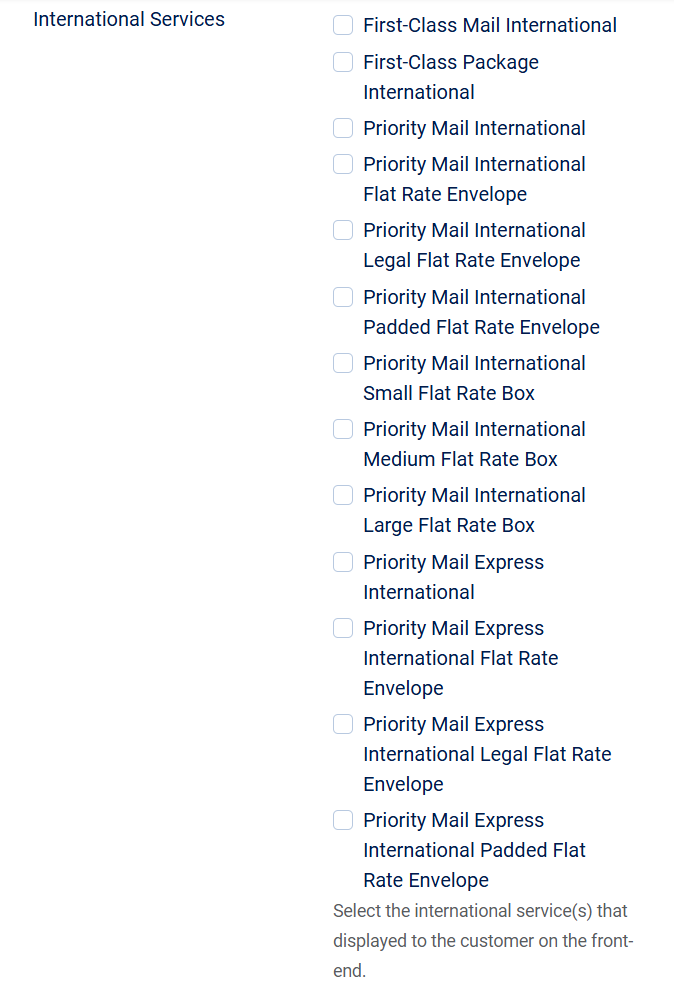
4. International Services: Let's choose the international services that you want to display to customers.
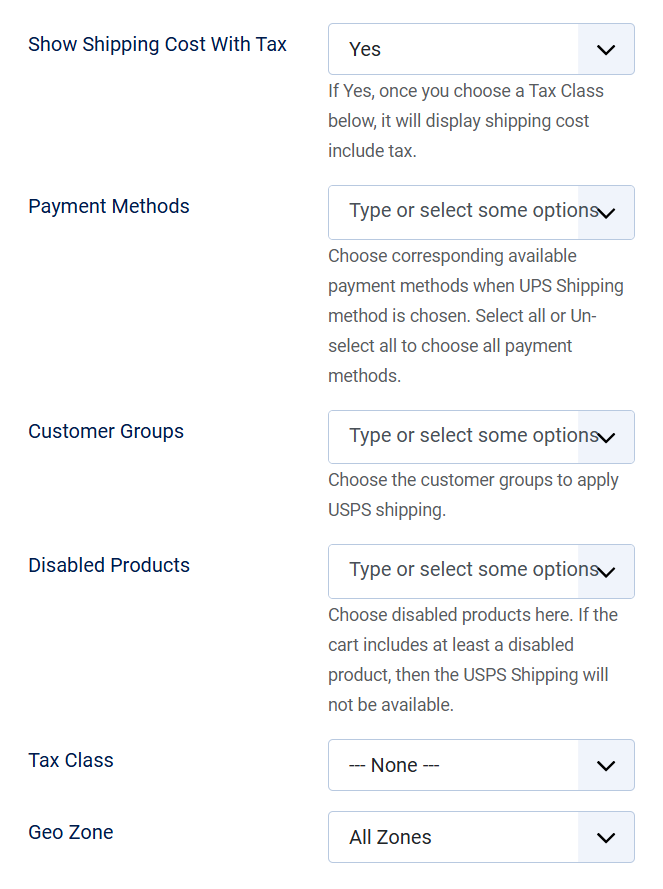
5. Finally are other general parameters of an EShop shipping plugin.
When should you contact us?
- Are you interested in this our extension and want to send pre-sales questions?
- Do you need the technical supports?
- Would you like to suggest features / require custom works?
- Or any other reasons that you want to contact us?
How do you contact us?
- Post questions in Forum
- Login to your account and submit a support ticket to EShop
- Email us:
This email address is being protected from spambots. You need JavaScript enabled to view it. - Directly support via instant chats. Skype ID: outsourcepro