- Posts: 38
- Thank you received: 0

Need help with Joomla? We are available for hire to help with Joomla customization, upgrades, maintenance, and custom development.
Explore our services HOW TO CHANGE VARIABLE
- bob
- Topic Author
- Offline
- Junior Member
-

Less
More
6 years 2 months ago #136845
by bob
HOW TO CHANGE VARIABLE was created by bob
Hello Mr. Tuan,
I want to change the variable for $currencySymbol, how can I get this file folder to edit this code?
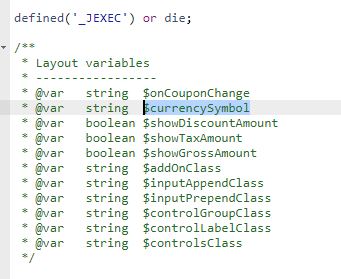
I want to change the variable for $currencySymbol, how can I get this file folder to edit this code?
Please Log in or Create an account to join the conversation.
- Tuan Pham Ngoc
- Offline
- Administrator
-

6 years 2 months ago #136850
by Tuan Pham Ngoc
Replied by Tuan Pham Ngoc on topic HOW TO CHANGE VARIABLE
Hi Bob
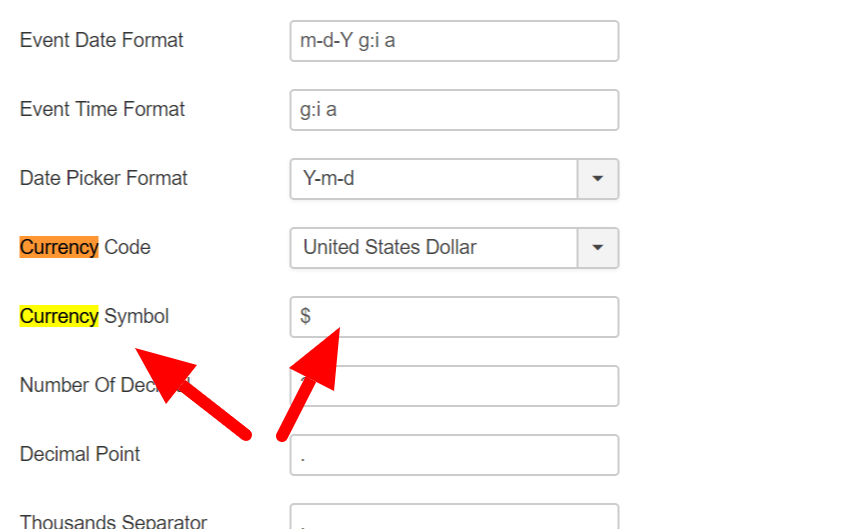
It's configurable. You just need to go to Events Booking -> Configuration
There is a config option called Currency Symbol. You can change it to meet your need
Tuan
It's configurable. You just need to go to Events Booking -> Configuration
There is a config option called Currency Symbol. You can change it to meet your need
Tuan
Please Log in or Create an account to join the conversation.
- bob
- Topic Author
- Offline
- Junior Member
-
Less
More
- Posts: 38
- Thank you received: 0
6 years 2 months ago #136854
by bob
Replied by bob on topic HOW TO CHANGE VARIABLE
which one contains the variable?
/administrator/components/com_eventbooking/view/configuration/tmpl
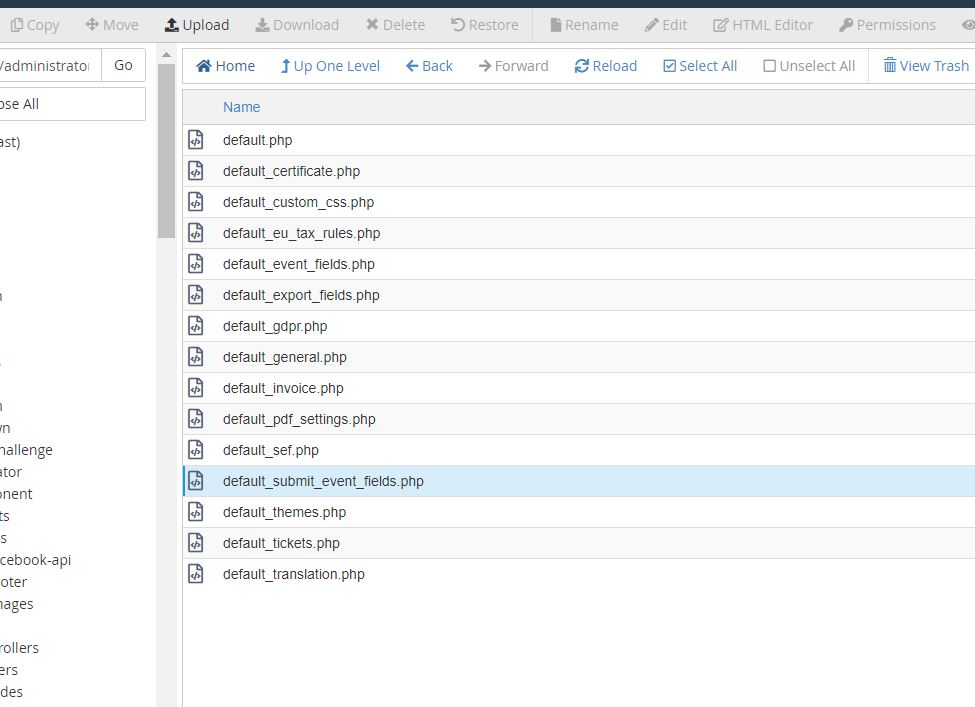
/administrator/components/com_eventbooking/view/configuration/tmpl
Please Log in or Create an account to join the conversation.
- Tuan Pham Ngoc
- Offline
- Administrator
-
6 years 2 months ago #136855
by Tuan Pham Ngoc
Replied by Tuan Pham Ngoc on topic HOW TO CHANGE VARIABLE
Hello
You do not have to edit code to change it. You can change it via UI. Just go to Events Booking -> Configuration, find the config option Currency Symbol and change it
See this attached screenshot
Tuan
You do not have to edit code to change it. You can change it via UI. Just go to Events Booking -> Configuration, find the config option Currency Symbol and change it
See this attached screenshot
Tuan
Please Log in or Create an account to join the conversation.
Moderators: Tuan Pham Ngoc
Support
Documentation
Information
Copyright © 2026 Joomla Extensions by Joomdonation. All Rights Reserved.
joomdonation.com is not affiliated with or endorsed by the Joomla! Project or Open Source Matters.
The Joomla! name and logo is used under a limited license granted by Open Source Matters the trademark holder in the United States and other countries.
The Joomla! name and logo is used under a limited license granted by Open Source Matters the trademark holder in the United States and other countries.