- Posts: 3
- Thank you received: 0

Events category display problem
- threshold
- Topic Author
- Offline
- New Member
-

Less
More
8 years 11 months ago #97472
by threshold
Events category display problem was created by threshold
Hello,
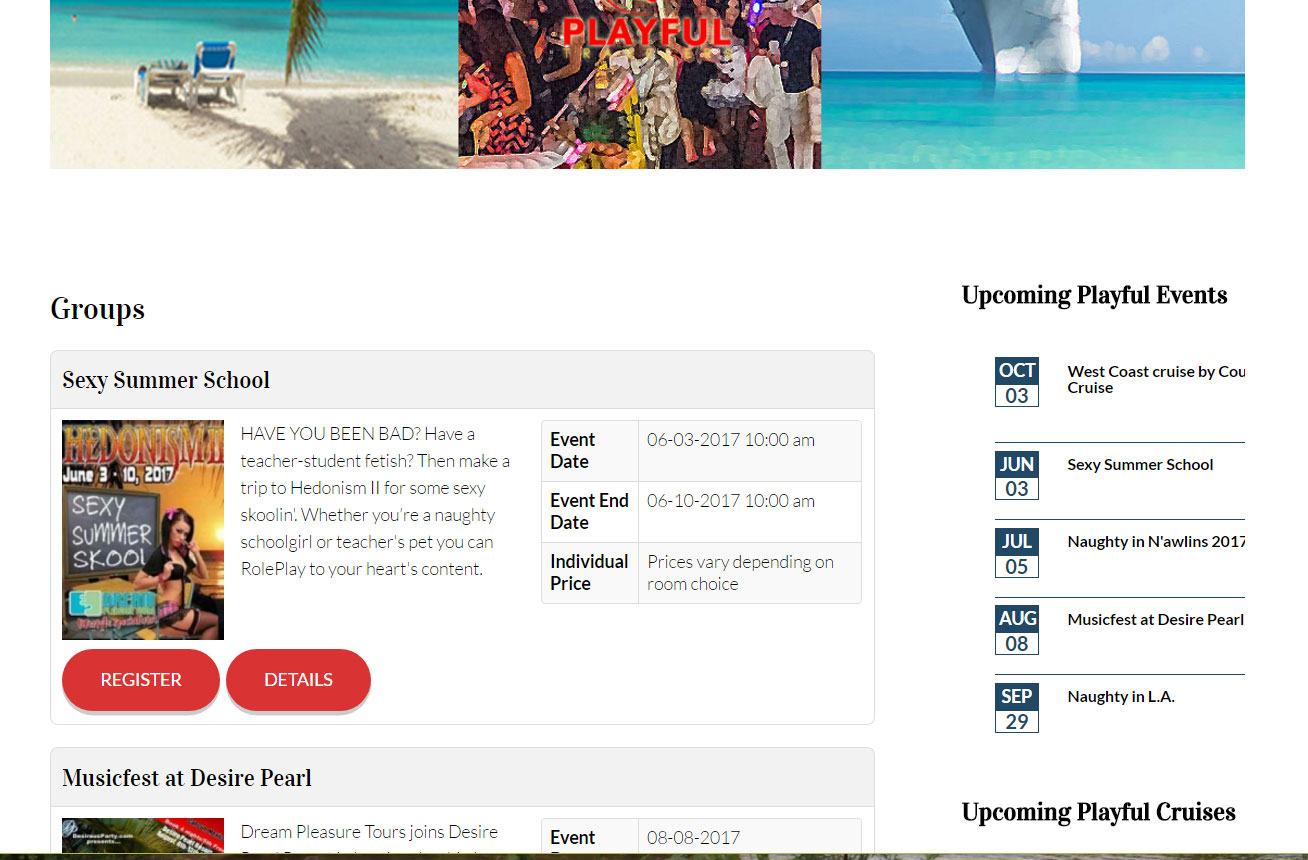
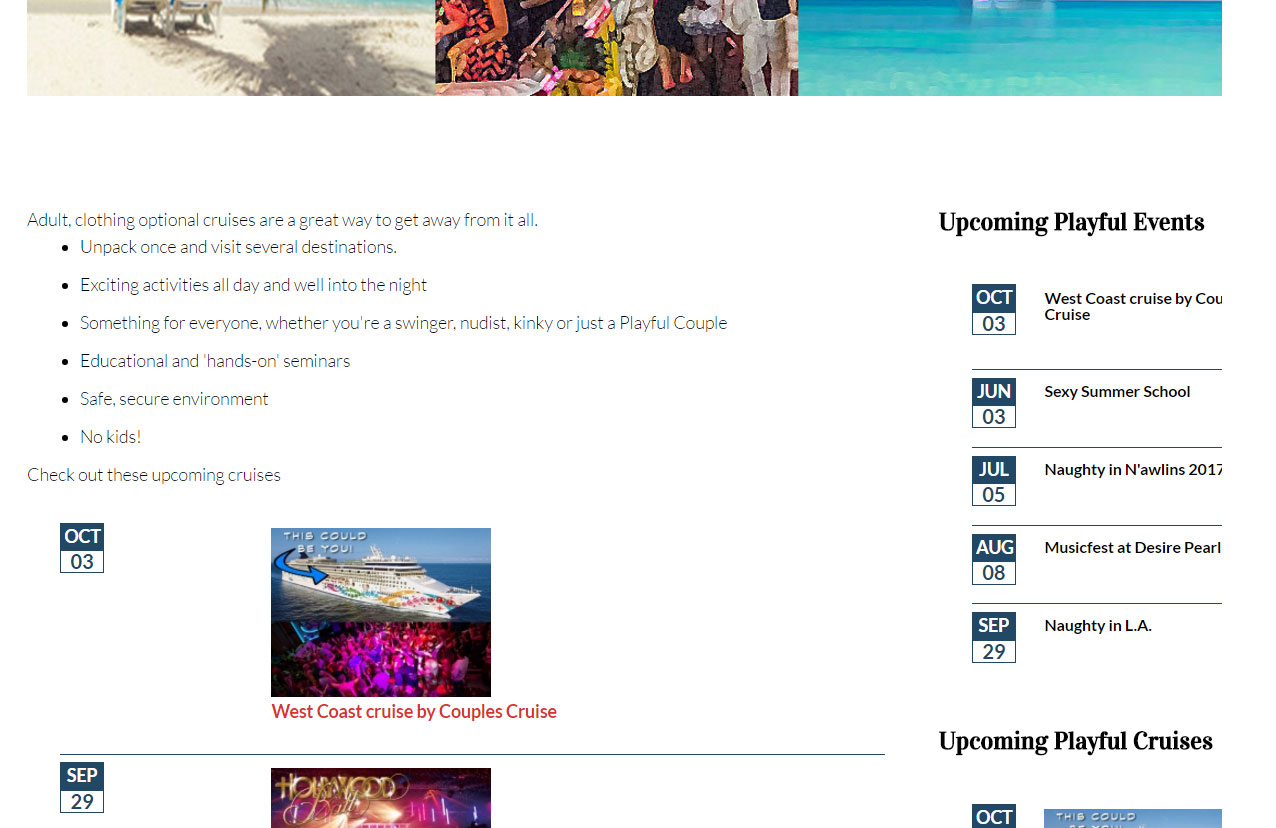
I must be having a brain cramp. When I link directly to the events category from the menu, I get the look that I want (menu_link) but when I try to add the module below an article, I can't make it look the same (article_view). How do I make the article view formatted like the menu view?
Thanks
Mike
I must be having a brain cramp. When I link directly to the events category from the menu, I get the look that I want (menu_link) but when I try to add the module below an article, I can't make it look the same (article_view). How do I make the article view formatted like the menu view?
Thanks
Mike
Please Log in or Create an account to join the conversation.
- Tuan Pham Ngoc
- Away
- Administrator
-

8 years 11 months ago #97484
by Tuan Pham Ngoc
Replied by Tuan Pham Ngoc on topic Events category display problem
Hello Mike
If you want to have that kind of layout inside a module, you need to use a different kind of module.
Create an instance of Events Booking - View module. In the module parameters, select Upcoming Events for View parameter
Then load that module inside article, you should have the kind of layout you want
Regards,
Tuan
If you want to have that kind of layout inside a module, you need to use a different kind of module.
Create an instance of Events Booking - View module. In the module parameters, select Upcoming Events for View parameter
Then load that module inside article, you should have the kind of layout you want
Regards,
Tuan
Please Log in or Create an account to join the conversation.
- threshold
- Topic Author
- Offline
- New Member
-
Less
More
- Posts: 3
- Thank you received: 0
8 years 11 months ago #97536
by threshold
Replied by threshold on topic Events category display problem
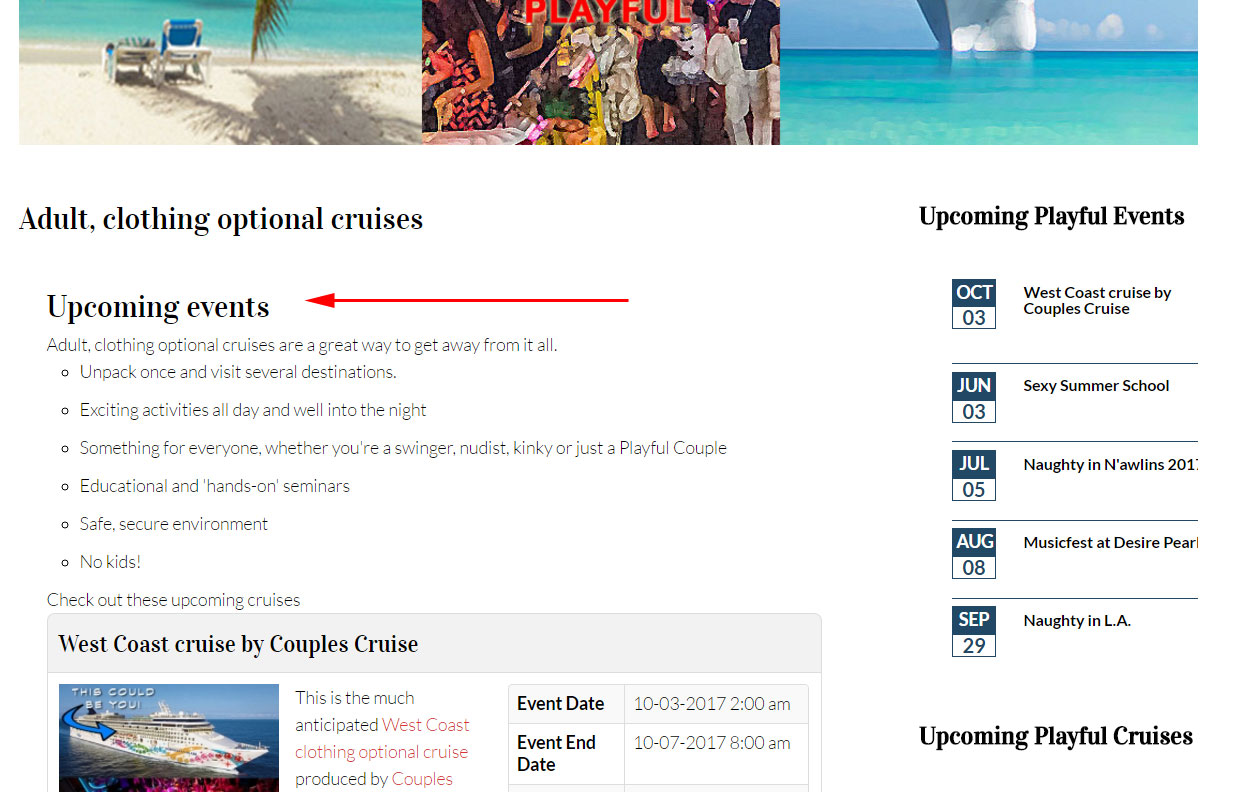
Thanks. That got me close. I was able to figure out the query string layout=default&id=1 to show only the category that I want. The only thing left is that I don't want to display "Upcoming Events" (see attached)
Please Log in or Create an account to join the conversation.
- Tuan Pham Ngoc
- Away
- Administrator
-
8 years 11 months ago #97545
by Tuan Pham Ngoc
Replied by Tuan Pham Ngoc on topic Events category display problem
That's something you will need to edit code to remove it. Open the file components/com_eventbooking/view/upcomingevents/tmpl/default.php, you should see the code for showing that text and remove it
You should move the modified file to PATH_TO_YOUR_TEMPLATE/html/com_eventbooking/upcomingevents folder so that the change won't be lost when you update. It is called Template Override in Joomla, see docs.joomla.org/How_to_override_the_outp...rom_the_Joomla!_core if you want to understand more
Regards,
Tuan
You should move the modified file to PATH_TO_YOUR_TEMPLATE/html/com_eventbooking/upcomingevents folder so that the change won't be lost when you update. It is called Template Override in Joomla, see docs.joomla.org/How_to_override_the_outp...rom_the_Joomla!_core if you want to understand more
Regards,
Tuan
Please Log in or Create an account to join the conversation.
Moderators: Tuan Pham Ngoc
Support
Documentation
Information
Copyright © 2026 Joomla Extensions by Joomdonation. All Rights Reserved.
joomdonation.com is not affiliated with or endorsed by the Joomla! Project or Open Source Matters.
The Joomla! name and logo is used under a limited license granted by Open Source Matters the trademark holder in the United States and other countries.
The Joomla! name and logo is used under a limited license granted by Open Source Matters the trademark holder in the United States and other countries.