- Posts: 38
- Thank you received: 0

how to hidden Event Properties & Event Date
- vicky
- Topic Author
- Offline
- Junior Member
-

Less
More
10 years 1 month ago #76214
by vicky
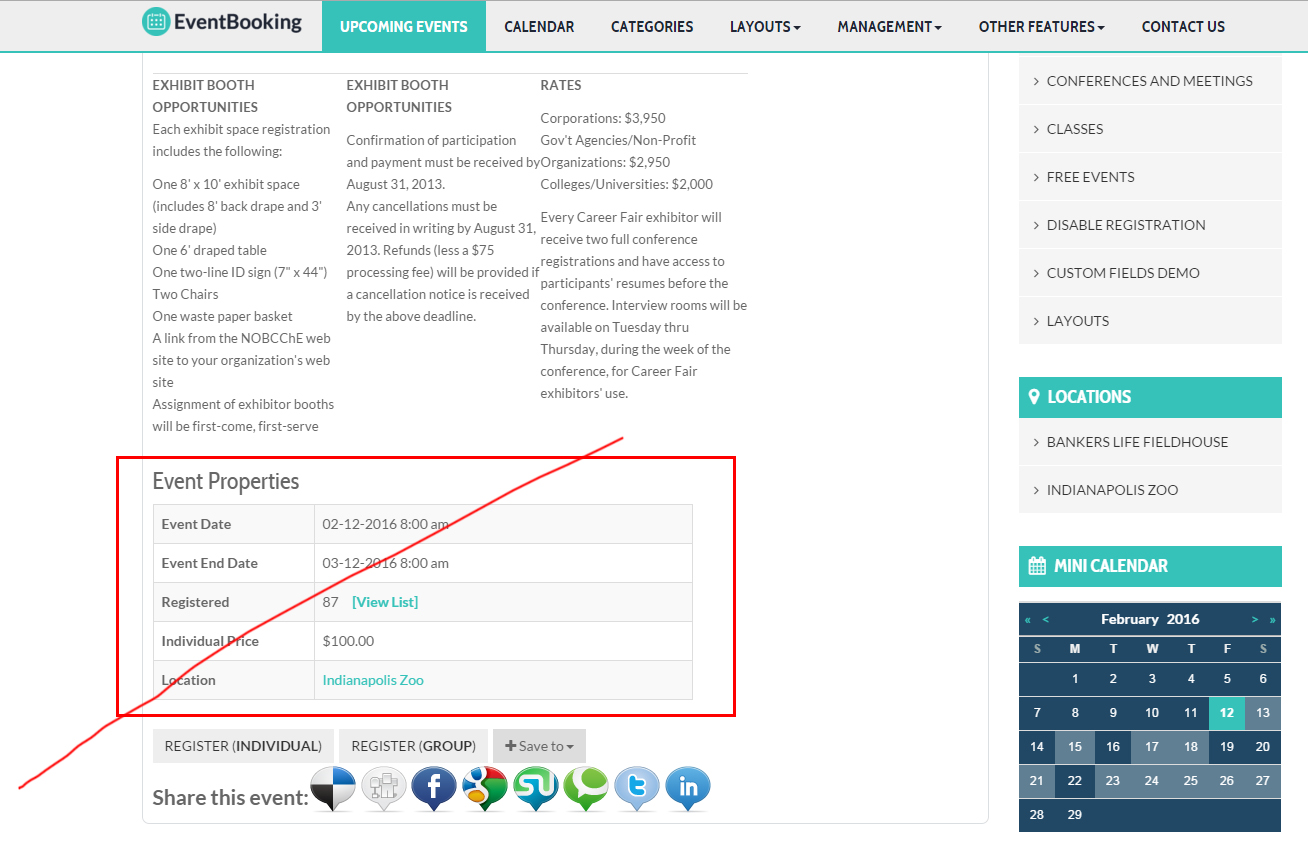
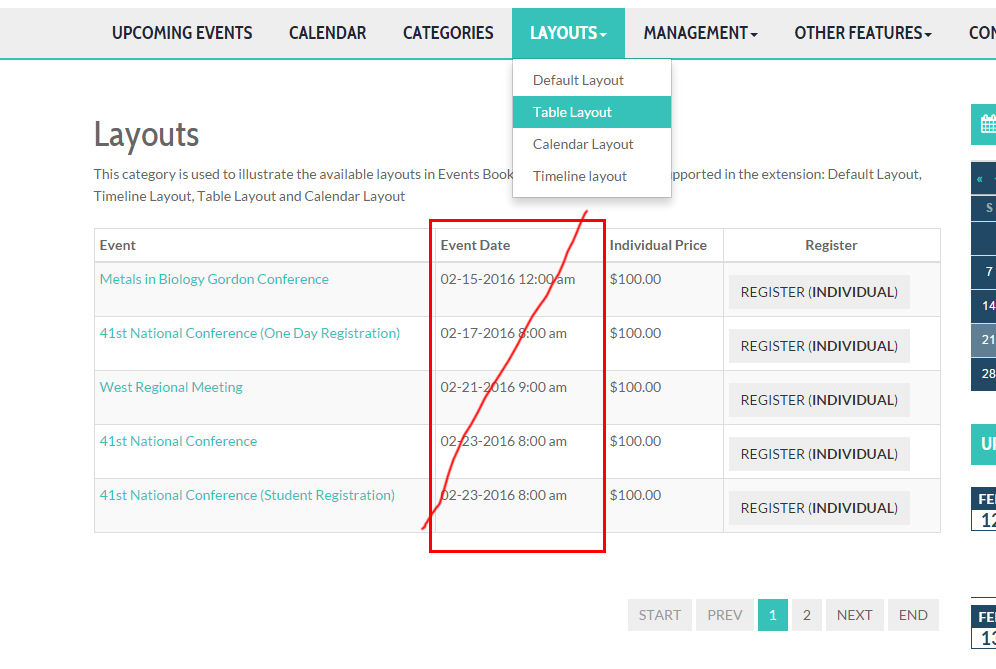
how to hidden Event Properties & Event Date was created by vicky
Please Log in or Create an account to join the conversation.
- Tuan Pham Ngoc
- Offline
- Administrator
-

10 years 1 month ago #76244
by Tuan Pham Ngoc
Replied by Tuan Pham Ngoc on topic how to hidden Event Properties & Event Date
Hi Vicky
We have no way to hide these information (by default, Event Date is an important information, I don't know why you need to hide it)
So in this case, if you want to hide it, we will have to edit code. Please submit a support ticket sending us super admin account of your site, we will help modifying code for you
Regards,
Tuan
We have no way to hide these information (by default, Event Date is an important information, I don't know why you need to hide it)
So in this case, if you want to hide it, we will have to edit code. Please submit a support ticket sending us super admin account of your site, we will help modifying code for you
Regards,
Tuan
Please Log in or Create an account to join the conversation.
- James Riley
-

- Offline
- Platinum Member
-

10 years 1 month ago - 10 years 1 month ago #76274
by James Riley
James Riley .: EventBooking user since 2014 ::: JoomDonation user since 2016 :.
.: grfx & web design / IT / AV @ St. Therese Institute of Faith and Mission, Bruno, SK, Canada :.
Replied by James Riley on topic how to hidden Event Properties & Event Date
You should be able to accomplish this on CSS3 compliant (modern browsers) with a few lines of css code in /media/com_eventbooking/assets/css/custom.css. There shouldn't be a problem with older browsers in situation 1, but situation 2 likely wily not work on old browsers (a code edit light Tuan suggested would be the only for-sure way).
For situation #1, try:
And for situation #2, try:
For situation #1, try:
Code:
.eb-event-info, .eb-event-property {display:none;}
And for situation #2, try:
Code:
#eb-category-page-table #adminForm table th:nth-of-type(2){display:none;}
#eb-category-page-table #adminForm table td:nth-of-type(2){display:none;}
James Riley .: EventBooking user since 2014 ::: JoomDonation user since 2016 :.
.: grfx & web design / IT / AV @ St. Therese Institute of Faith and Mission, Bruno, SK, Canada :.
Last edit: 10 years 1 month ago by James Riley. Reason: typo correction
The following user(s) said Thank You: cyrock
Please Log in or Create an account to join the conversation.
Moderators: Tuan Pham Ngoc
Support
Documentation
Information
Copyright © 2026 Joomla Extensions by Joomdonation. All Rights Reserved.
joomdonation.com is not affiliated with or endorsed by the Joomla! Project or Open Source Matters.
The Joomla! name and logo is used under a limited license granted by Open Source Matters the trademark holder in the United States and other countries.
The Joomla! name and logo is used under a limited license granted by Open Source Matters the trademark holder in the United States and other countries.