- Posts: 4
- Thank you received: 0

Need help with Joomla? We are available for hire to help with Joomla customization, upgrades, maintenance, and custom development.
Explore our services Formatting Event Booking
- Erik
- Topic Author
- Offline
- New Member
-

Less
More
12 years 4 months ago - 12 years 4 months ago #44427
by Erik
Formatting Event Booking was created by Erik
Dear Tuan,
I have two questions concerning formatting in Event Booking:
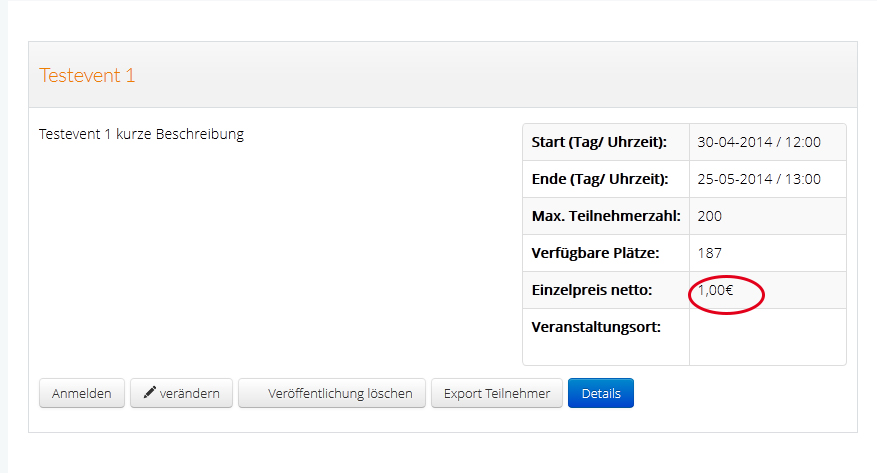
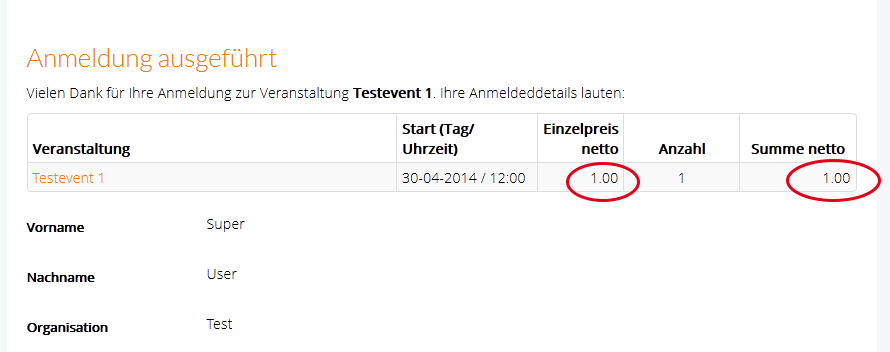
How can I please get a blank between price and the currency symbol?
Please see picture Question_1
In the configuration of Event Booking I use for decimal point: comma (",").
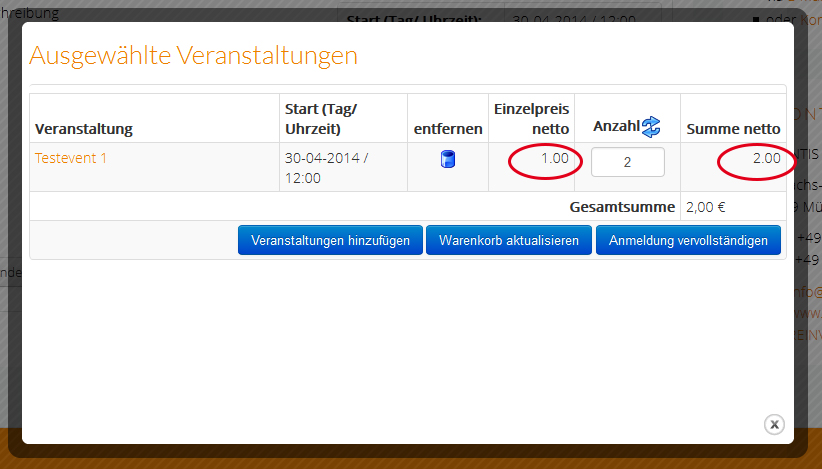
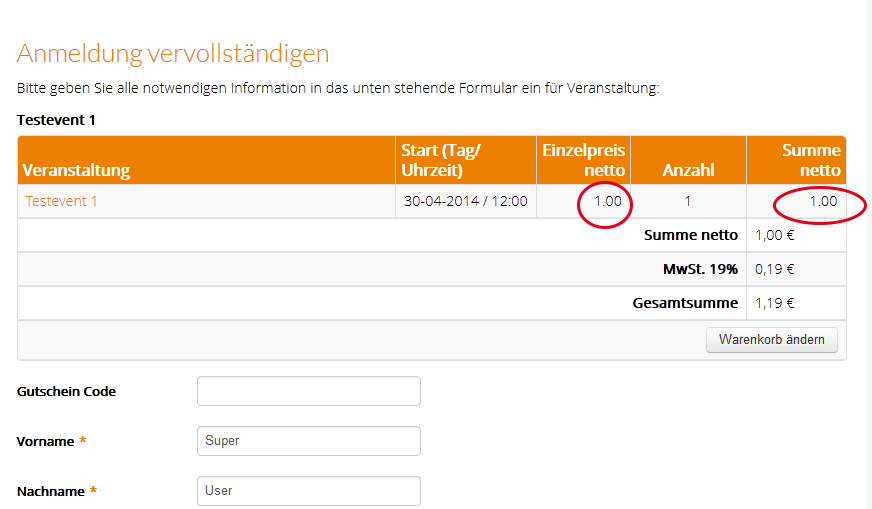
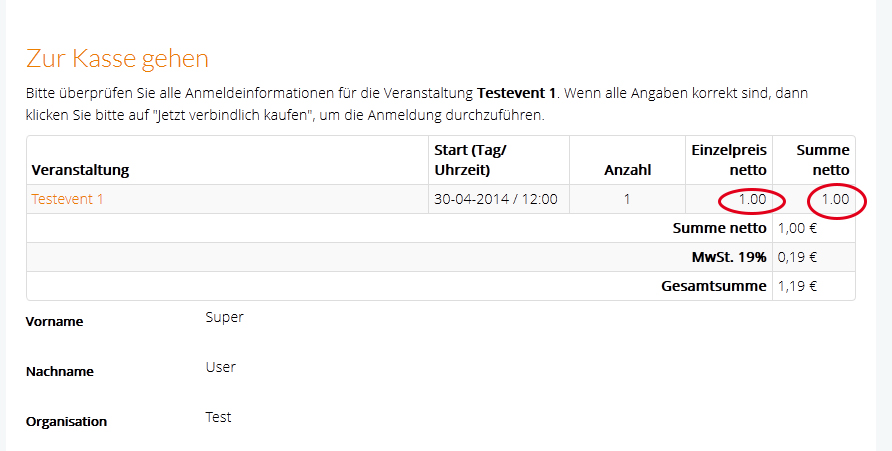
But in the front-end still a point (".") will be presented - how can I please change that?
Please See pictures: Question_2 , Question_3, Question_4; Question_5
Thank you in advance for your assistance.
With kind regards,
Erik
I have two questions concerning formatting in Event Booking:
How can I please get a blank between price and the currency symbol?
Please see picture Question_1
In the configuration of Event Booking I use for decimal point: comma (",").
But in the front-end still a point (".") will be presented - how can I please change that?
Please See pictures: Question_2 , Question_3, Question_4; Question_5
Thank you in advance for your assistance.
With kind regards,
Erik
Last edit: 12 years 4 months ago by Erik.
Please Log in or Create an account to join the conversation.
- Tuan Pham Ngoc
- Away
- Administrator
-

12 years 4 months ago #44489
by Tuan Pham Ngoc
Replied by Tuan Pham Ngoc on topic Formatting Event Booking
Hi Erik
1=> You will need to edit the code. Look at the file components/com_eventbooking/helper/helper.php, find the code below and change it to add the space you want:
For other items, I think I will need to edit code directly on your site to see what's wrong and get it corrected for you. Could you please submit a support ticket so that I can do that ?
Tuan
1=> You will need to edit the code. Look at the file components/com_eventbooking/helper/helper.php, find the code below and change it to add the space you want:
Code:
public static function formatCurrency($amount, $config, $currencySymbol = null)
{
$decimals = isset($config->decimals) ? $config->decimals : 2;
$dec_point = isset($config->dec_point) ? $config->dec_point : '.';
$thousands_sep = isset($config->thousands_sep) ? $config->thousands_sep : ',';
$symbol = $currencySymbol ? $currencySymbol : $config->currency_symbol;
return $config->currency_position ? (number_format($amount, $decimals, $dec_point, $thousands_sep) . $symbol) : ($symbol .
number_format($amount, $decimals, $dec_point, $thousands_sep));
}
For other items, I think I will need to edit code directly on your site to see what's wrong and get it corrected for you. Could you please submit a support ticket so that I can do that ?
Tuan
Please Log in or Create an account to join the conversation.
Moderators: Tuan Pham Ngoc
Support
Documentation
Information
Copyright © 2026 Joomla Extensions by Joomdonation. All Rights Reserved.
joomdonation.com is not affiliated with or endorsed by the Joomla! Project or Open Source Matters.
The Joomla! name and logo is used under a limited license granted by Open Source Matters the trademark holder in the United States and other countries.
The Joomla! name and logo is used under a limited license granted by Open Source Matters the trademark holder in the United States and other countries.