Hi,
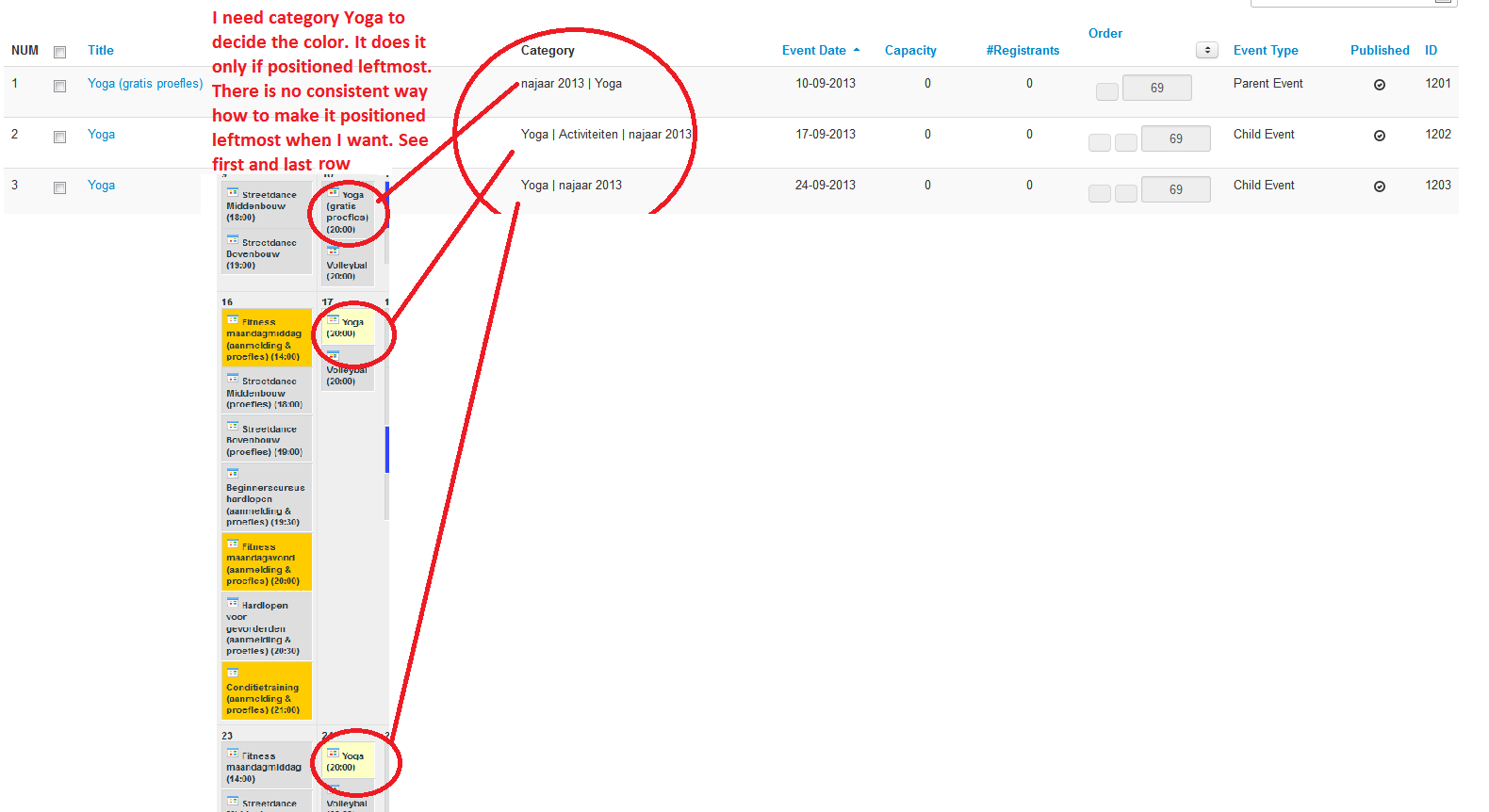
I runned into this issue. When a event has more categories there is a conflict as to which category color the calender will use.
I noticed that the calender uses the color of the category that is the leftmost category in the Events menu under the Category column.
E.g. We have a event "Skiing" being in categories "Category A" and "Category B" each category having different color. If in the Category column in the Events menu is this: Category A | Category B, the Calendar will show Skiing with color A. If in the Category column in the Events menu is this: Category B | Category A, the Calender will show Skiing with color B. If there is no color specified for the leftmost category, there won't be any color in the calendar.
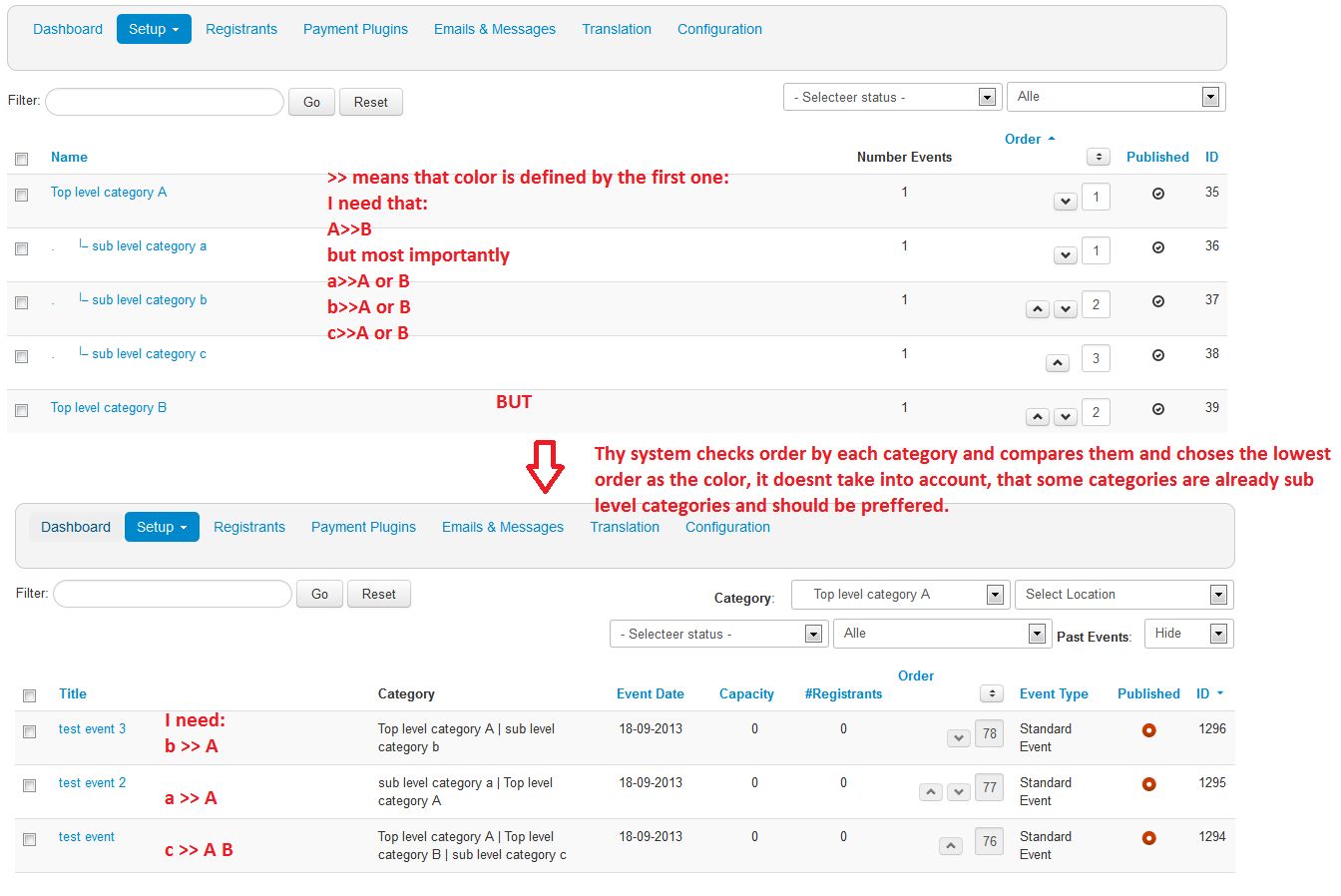
I noticed that the order of the categories doesn't correspond to the rooting structure (top category - leftmost, bottom category - rightmost).
I always make a category for each event name (or event series if recurring). Thus I in our example, I have also a category "Skiing" with its own color. I would need that this color would always be preferred. That means that Skiing would allays be on the leftmost position in the Category column in the Events menu as this:
Skiing | Category B | Category A
My question is how to achieve this. So far it seems to me rather random. Sometimes the category is placed on left and sometimes on right. I would need thus a answer how to make sure, that certain category color if multiple categories are used decides about the color in the calender.
See the snapshot from Events menu with illustration of the problem.
Thanks for the help.