- Posts: 45
- Thank you received: 0

Need help with Joomla? We are available for hire to help with Joomla customization, upgrades, maintenance, and custom development.
Explore our services Modify color with CSS in the event detail page
- Marco
- Topic Author
- Offline
- Senior Member
-

Less
More
2 months 1 week ago - 2 months 1 week ago #179301
by Marco
Modify color with CSS in the event detail page was created by Marco
Hi,
I'm trying to change the text color to black but I can't get it to work.
I tried adding: css
.eb-page-heading {
color: #000000 !important;
}
.eb-event-properties-heading {
color: #000000 !important;
}
in YOOtheme's Custom CSS, but it only changes
I also tried adding this code in the "Event Registrant" Custom CSS field
.eb-page-heading {color:#000}
.eb-event-properties-heading {color:#000}
But still nothing. How should I proceed?
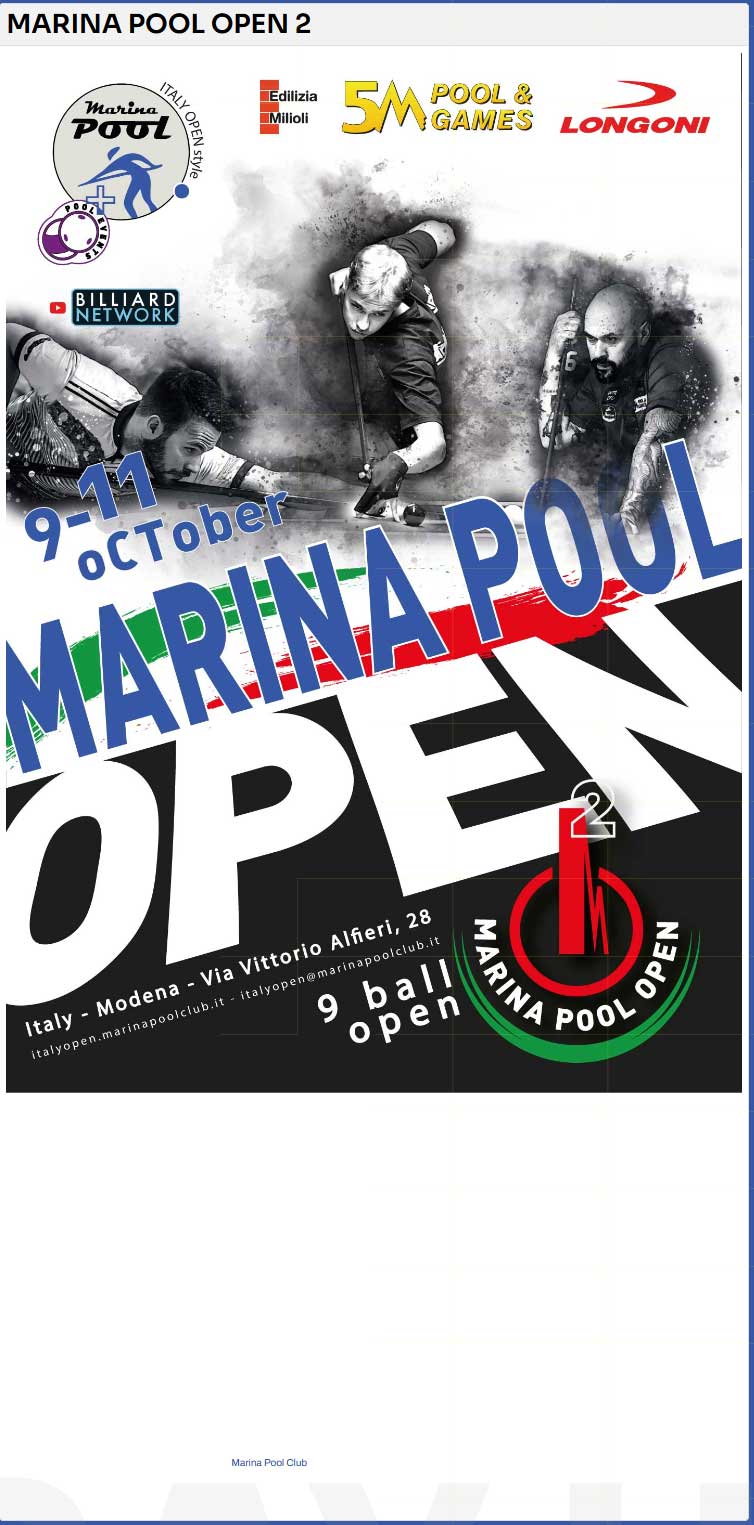
I'm attaching a screenshot of the page in question.Thanks
I'm trying to change the text color to black but I can't get it to work.
I tried adding: css
.eb-page-heading {
color: #000000 !important;
}
.eb-event-properties-heading {
color: #000000 !important;
}
in YOOtheme's Custom CSS, but it only changes
Code:
eb-page-heading
I also tried adding this code in the "Event Registrant" Custom CSS field
.eb-page-heading {color:#000}
.eb-event-properties-heading {color:#000}
But still nothing. How should I proceed?
I'm attaching a screenshot of the page in question.Thanks
Last edit: 2 months 1 week ago by Marco.
Please Log in or Create an account to join the conversation.
- Tuan Pham Ngoc
- Offline
- Administrator
-

2 months 1 week ago #179302
by Tuan Pham Ngoc
Replied by Tuan Pham Ngoc on topic Modify color with CSS in the event detail page
Hi Marco
Please send us link to the page and explain the change you want. We will look at it and guide you
Regards,
Tuan
Please send us link to the page and explain the change you want. We will look at it and guide you
Regards,
Tuan
Please Log in or Create an account to join the conversation.
- Marco
- Topic Author
- Offline
- Senior Member
-
Less
More
- Posts: 45
- Thank you received: 0
2 months 1 week ago - 2 months 1 week ago #179303
by Marco
Replied by Marco on topic Modify color with CSS in the event detail page
italyopen.marinapoolclub.it/index.php/event-registration
I can't see the white text on the white background; I'd like to change it.
I can't see the white text on the white background; I'd like to change it.
Last edit: 2 months 1 week ago by Marco.
Please Log in or Create an account to join the conversation.
- Tuan Pham Ngoc
- Offline
- Administrator
-
2 months 1 week ago #179304
by Tuan Pham Ngoc
Replied by Tuan Pham Ngoc on topic Modify color with CSS in the event detail page
Hi Marco
The text should still be white, just the page should not use white background color. Could you please go to Events Booking -> Configuration, look at Themes tab, set Activate Transparent config option to Yes, then check it again. The issue should be sorted
Regards,
Tuan
The text should still be white, just the page should not use white background color. Could you please go to Events Booking -> Configuration, look at Themes tab, set Activate Transparent config option to Yes, then check it again. The issue should be sorted
Regards,
Tuan
Please Log in or Create an account to join the conversation.
- Marco
- Topic Author
- Offline
- Senior Member
-
Less
More
- Posts: 45
- Thank you received: 0
2 months 1 week ago #179305
by Marco
Replied by Marco on topic Modify color with CSS in the event detail page
Great
How do I change the color of the link to the location?
Thank you
How do I change the color of the link to the location?
Thank you
Please Log in or Create an account to join the conversation.
- Tuan Pham Ngoc
- Offline
- Administrator
-
2 months 1 week ago #179306
by Tuan Pham Ngoc
Replied by Tuan Pham Ngoc on topic Modify color with CSS in the event detail page
That's an a tag and it is controlled by the css of your template. Maybe you should check and change css of your site template to have it changed everywhere. If you just want to change it with Events Booking, go to Events Booking -> Configuration, look at Custom CSS tab, enter this css code:
.eb-container a:link, .eb-container a:hover, .eb-container a:visited
{
color : #fff !important;
}
Then try again. It should be white and looks good with that background
Regards,
Tuan
.eb-container a:link, .eb-container a:hover, .eb-container a:visited
{
color : #fff !important;
}
Then try again. It should be white and looks good with that background
Regards,
Tuan
Please Log in or Create an account to join the conversation.
Support
Documentation
Information
Copyright © 2026 Joomla Extensions by Joomdonation. All Rights Reserved.
joomdonation.com is not affiliated with or endorsed by the Joomla! Project or Open Source Matters.
The Joomla! name and logo is used under a limited license granted by Open Source Matters the trademark holder in the United States and other countries.
The Joomla! name and logo is used under a limited license granted by Open Source Matters the trademark holder in the United States and other countries.