- Posts: 6
- Thank you received: 0

All questions about EDocman extension
Document list display
- Nancy Heath
- Topic Author
- Offline
- New Member
-
Less
More
3 weeks 5 days ago #178244
by Nancy Heath
Document list display was created by Nancy Heath
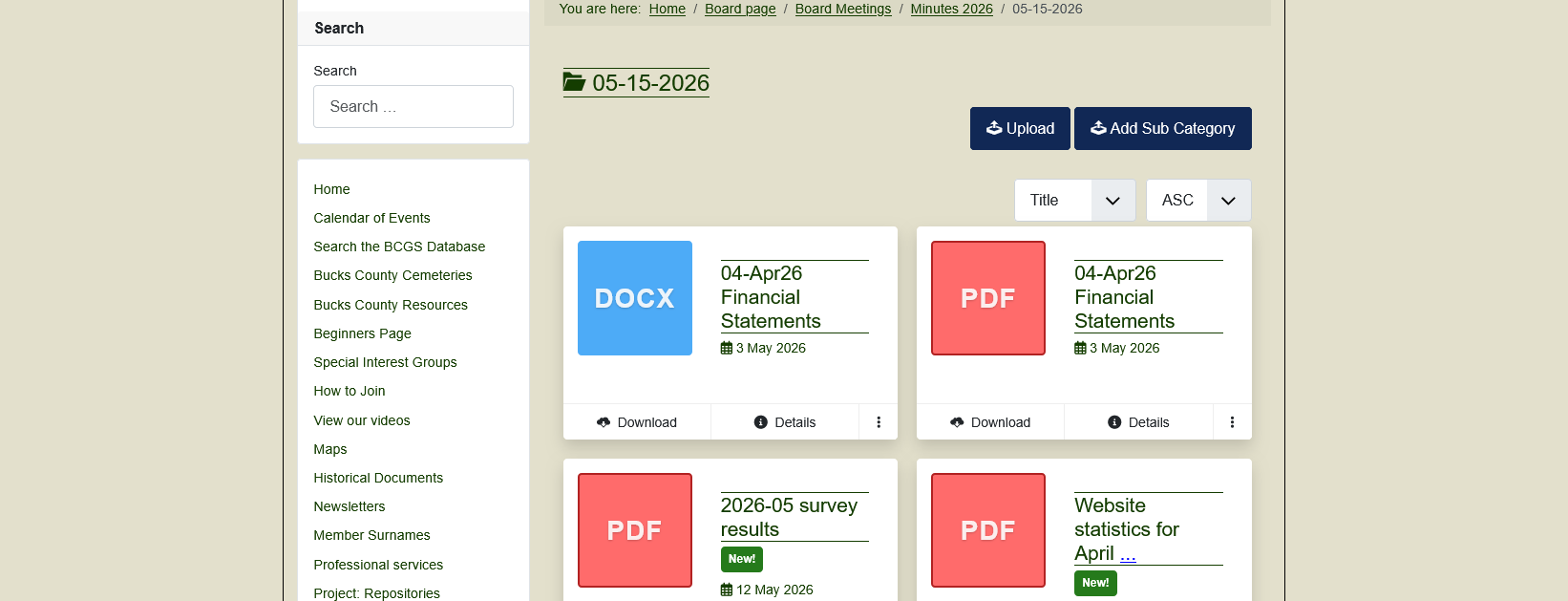
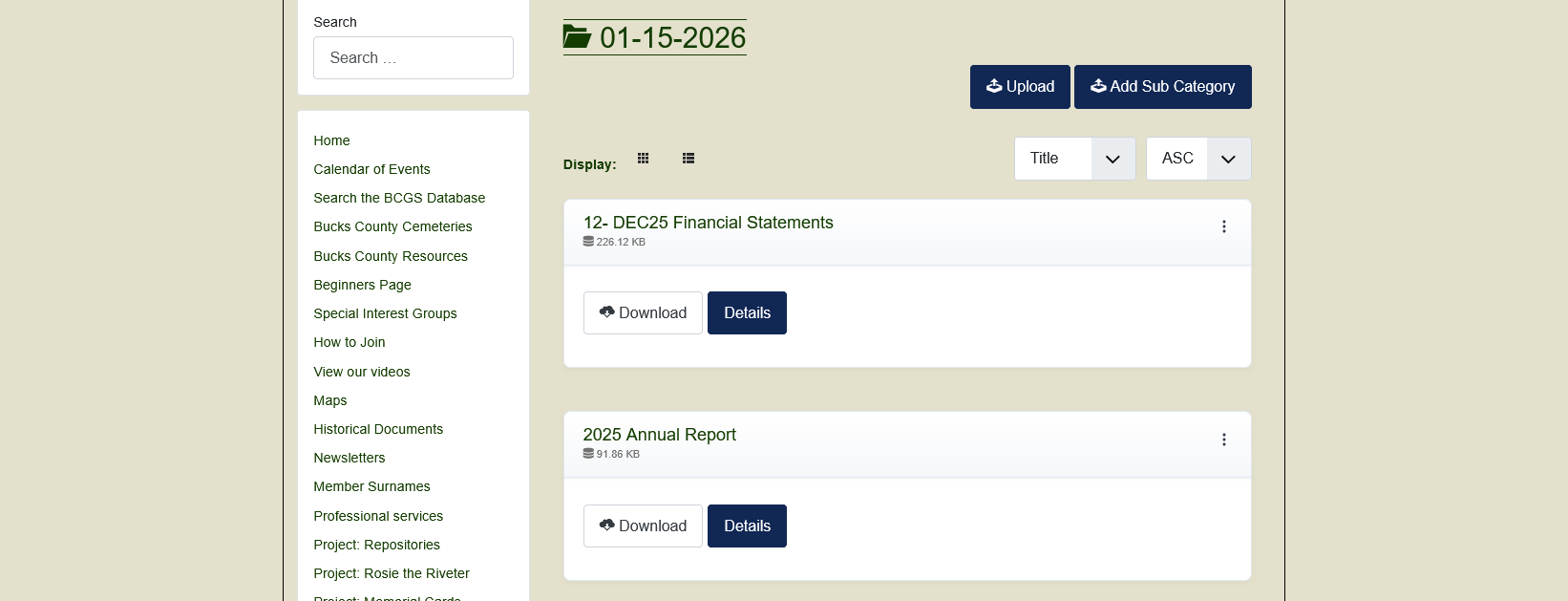
When I click on a category containing documents which were imported from a folder when I began using Edocman, I get a list of documents showing the name, size, and an upload and details button for each document (see olddocs attachment). But when I open a category with documents that have been uploaded by users, each document is represented by a giant box showing the document type (pdf, docx, etc) instead of a simple list (see newdocs attachment. How can I make the uploaded documents appear the same way that the imported ones do?
Please Log in or Create an account to join the conversation.
- Dang Thuc Dam
-
- Offline
- Administrator
-
Less
More
- Posts: 13659
- Thank you received: 1789
3 weeks 5 days ago #178247
by Dang Thuc Dam
Replied by Dang Thuc Dam on topic Document list display
Hi Nancy,
Please make sure that the Layout field of all categories is set to Default.
This will ensure that the documents in those categories are displayed in the same style.
Best regards,
Dam
Please make sure that the Layout field of all categories is set to Default.
This will ensure that the documents in those categories are displayed in the same style.
Best regards,
Dam
Please Log in or Create an account to join the conversation.
Moderators: Dang Thuc Dam
Support
Documentation
Information
Copyright © 2026 Joomla Extensions by Joomdonation. All Rights Reserved.
joomdonation.com is not affiliated with or endorsed by the Joomla! Project or Open Source Matters.
The Joomla! name and logo is used under a limited license granted by Open Source Matters the trademark holder in the United States and other countries.