Hi All
Today, I just added support for a new feature in Events Booking called Conditional Custom Fields. Basically, conditional custom fields mean when someone changes value of one field, other fields will be showed/hided on the form.
There are two types of fields in this case :
1. The first one is Master Fields : That are the fields which when someone changes the value of it (for example, select one option), the other fields which are depend on it will be showed/hided. In Events Booking a field which has the following types: CheckboxList, RadioList, Dropdown can be a Master Fields.
2. Dependency Fields: That are the fields which they are showed/hided when someone choose/select one option from Master field. All fields in Events Booking custom fields can be Dependency fields.
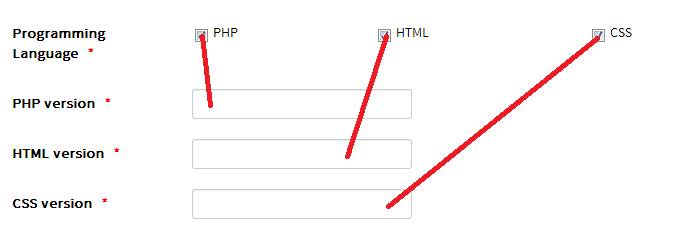
To create conditional custom fields (see a sample in the image below):
1. First, we will need to create master field. An example is a checkbox list custom field which has 3 values : PHP, HTML, CSS. When users choose PHP option, another textbox custom field called PHP version will be showed, When users choose HTML option, another textbox custom field called HTML version will be showed and so on..... For this master field, simply create it as normal checkboxlist custom field as usual.
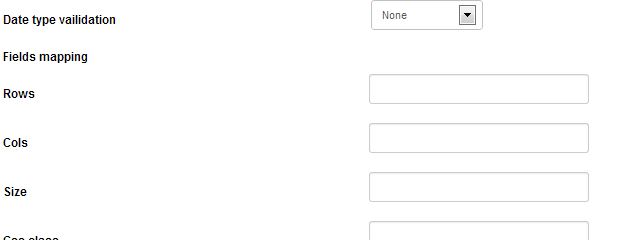
2. Create dependecy custom fields, simply create it as normal custom field. In the bottom of screen, choose the master field which you created above. And on the next line, select the options which this field will be depended on. See screesnhot below :
3. Now when users access to registration form, they will see the master field by default. When users choose an option in that master field, the field which depend on that option will be showed....
If anyone needs this new feature and want to help me to test it, please let me know and I will send it to you !
Regards,
Tuan